Why do I see #NA at the top for my current balance and future balance?
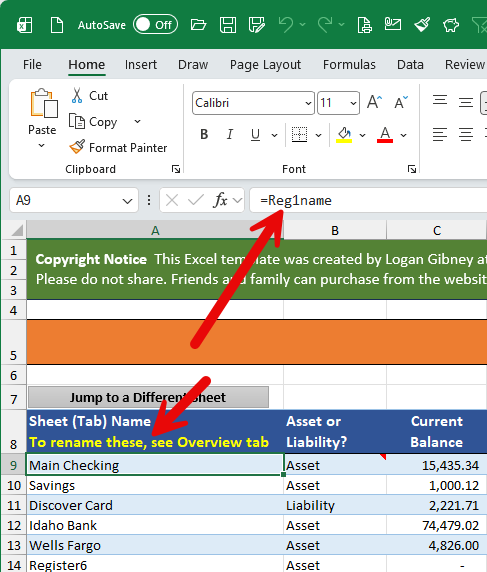
One potential reason will be if you visited the Settings worksheet and renamed the worksheets (registers) in that table, even though there’s a note that indicates to see the overview tab to rename the registers. Normally, the sheet (tab) names in the settings table are set to be variables like Reg1name, Reg2name, etc. And the balance formulas at the top of each register are looking to reference those variable names.
Register worksheets should be renamed by doing a right-click on their green tabs and choosing ‘Rename’.
See the Getting Started video for instructions on correctly renaming your register worksheets.