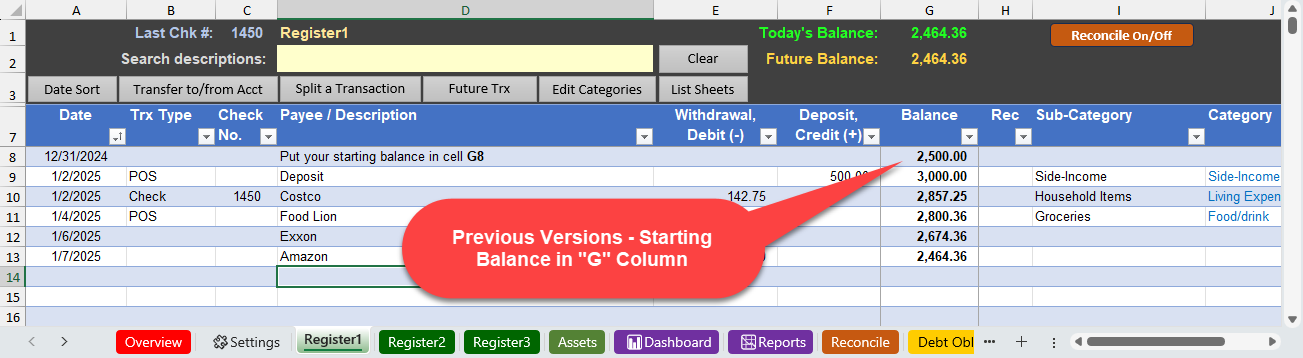
In previous versions of the Excel Checkbook (home and business), the template has a note to put your starting balance in the “G” (Balance) column. See example screen below.
In the latest releases (April 2026), your starting balance should be placed in the “F” (deposit) column rather than the balance column. This is also safe to do with all previous versions. This change is necessary so that the newly enhanced reconciliation function will work correctly as it sums the withdrawal and deposit columns.

NOTE: If you are using a register for a credit card or personal loan, your starting balance is a withdrawal rather than a deposit.
Another advantage to this change will be when copying your data to a new release of the Excel Checkbook template. You will not have to perform the extra step of copying the starting balance before copying your transactions.
Discover more from Excel Checkbook
Subscribe to get the latest posts sent to your email.